Is your MSI Summit E13 Flip Evo A12Mt-026 losing its charge too quickly? Does your laptop struggle to hold power throughout the day? If so, it might be time to replace the battery! Fortunately, replacing the MSI BTY-S3B battery is easier than you think. Follow this step-by-step guide to give your laptop a new lease on life!

Why Replace Your Battery?
Over time, laptop batteries degrade, leading to shorter runtimes and unreliable performance. The MSI BTY-S3B battery is a high-quality replacement designed to restore your laptop’s original battery life. With a capacity of 4550mAh and a voltage of 15.4V, this battery ensures smooth performance and long-lasting power.
Get your replacement battery here: MSI BTY-S3B Battery
Tools You’ll Need
Before starting, make sure you have the following tools:
- A small Phillips-head screwdriver
- A plastic prying tool or spudger
- An anti-static wrist strap (optional but recommended)
- Your new MSI BTY-S3B battery (Buy here)
Step-by-Step Battery Replacement Guide
Step 1: Power Down and Unplug
Turn off your MSI Summit E13 Flip Evo A12Mt-026 completely. Disconnect any power sources, including the AC adapter and peripherals.
Step 2: Remove the Back Cover
- Flip the laptop over and locate the screws securing the back panel.
- Use a Phillips-head screwdriver to remove all screws carefully. Keep them in a safe place.
- Gently insert a plastic prying tool along the edges and lift the back panel off. Be cautious not to apply excessive force.
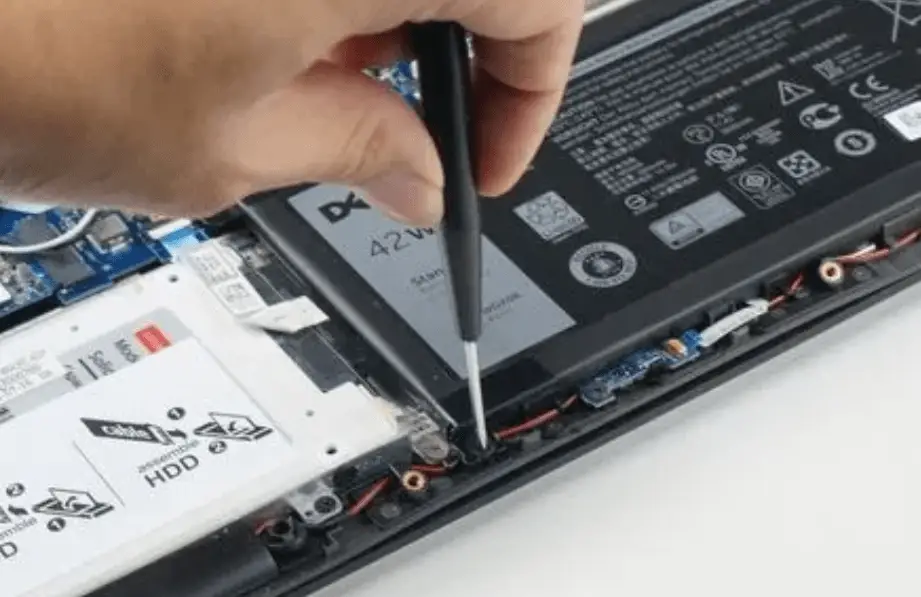
Step 3: Disconnect the Battery Cable
- Locate the BTY-S3B battery inside the laptop.
- Find the battery connector attached to the motherboard.
- Carefully unplug the connector by pulling it straight out.
Step 4: Remove the Old Battery
- Identify the screws securing the battery to the laptop chassis.
- Remove these screws using the screwdriver.
- Lift the old battery out gently and set it aside for proper recycling.
Step 5: Install the New MSI BTY-S3B Battery
- Position the new BTY-S3B battery in place.
- Secure it with the screws removed earlier.
- Reconnect the battery cable to the motherboard.
Step 6: Reassemble the Laptop
- Reattach the back cover by aligning it properly.
- Secure the cover with the screws.
- Double-check all connections before powering on your laptop.
Step 7: Charge and Test the New Battery
- Plug in the power adapter and let the new battery charge to 100% before using.
- Power on your laptop and verify that the battery is functioning properly.
- Run a battery diagnostics test in Windows to confirm its health.
Congratulations! You’ve successfully replaced your MSI Summit E13 Flip Evo A12Mt-026 battery!
Battery Care Tips to Extend Lifespan
To keep your new battery in top condition:
- Avoid letting your battery drain completely before charging.
- Keep your laptop in a cool, dry place.
- Unplug the charger once it reaches 100%.
- Use a high-quality charger to prevent damage.
Order Your MSI BTY-S3B Battery Today!
Don’t wait until your laptop battery completely dies. Get a brand-new MSI BTY-S3B battery now and restore your laptop’s performance!
👉 Buy now: MSI BTY-S3B Battery
With this replacement, your MSI Summit E13 Flip Evo A12Mt-026 will be back to peak performance in no time. Happy computing!