Home
Garmin Forerunner 110, 110W, 210 & Approach S1, S2, S3, S4: A Comprehensive Review
- Details
- Written by: Administrator
- Category: Smart Watch Battery
- Hits: 799
Garmin has long been a trusted brand in the world of GPS sports watches. Whether you're a runner looking for performance tracking or a golfer needing precise course data, Garmin's Forerunner and Approach series offer excellent options. In this blog, we’ll review and compare the Garmin Forerunner 110, 110W, 210, and Approach S1, S2, S3, S4 to help you find the perfect fit. Plus, we'll introduce a must-have accessory: the Garmin 361-00047-00 replacement battery, ensuring your watch stays powered for longer.
Forerunner Series: 110, 110W, and 210
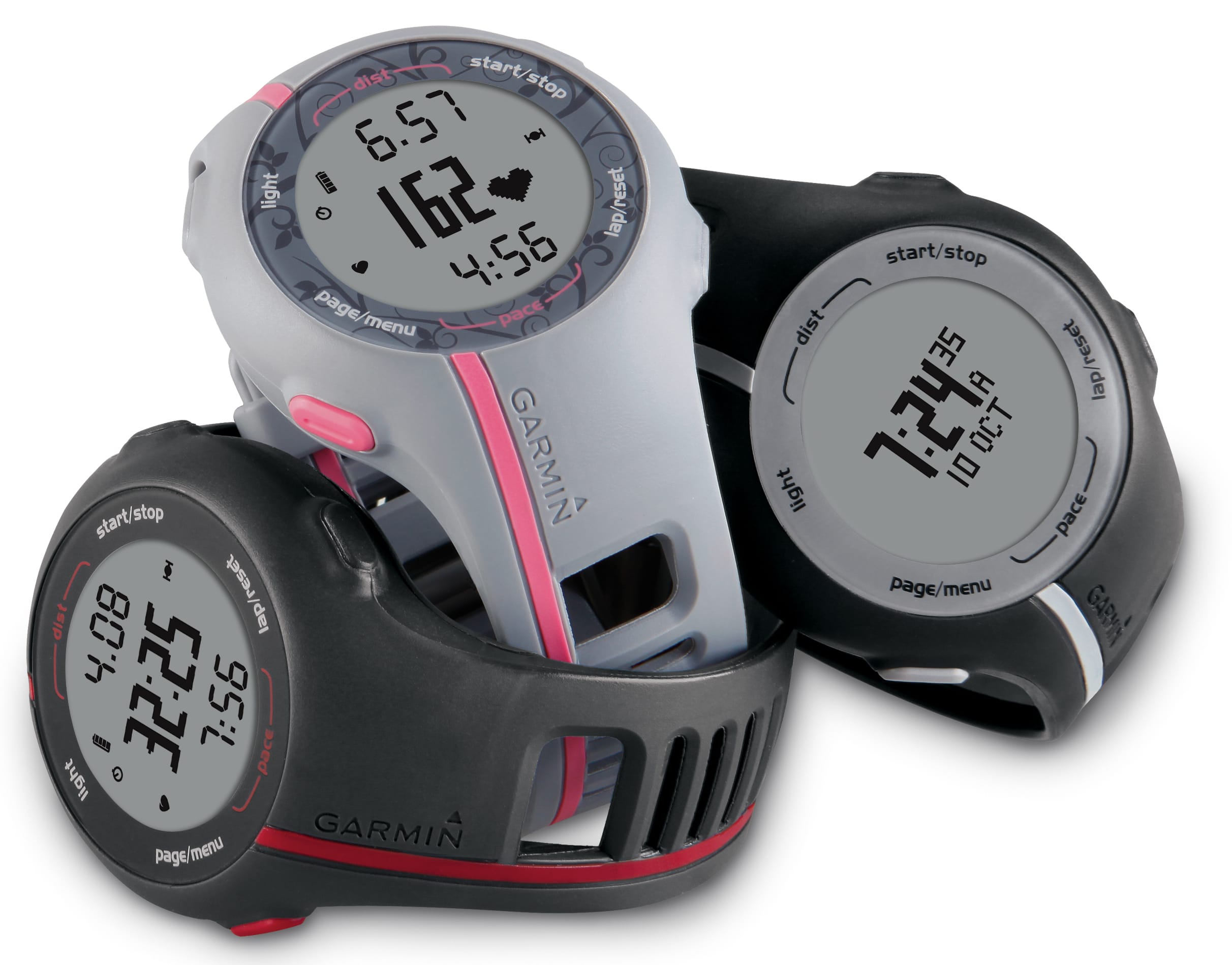
Garmin Forerunner 110
Features: This entry-level GPS running watch tracks distance, speed, and time, making it ideal for beginner and intermediate runners.
Heart Rate Monitoring: Supports external heart rate monitors to track performance and calorie burn.
Water Resistance: IPX7-rated, meaning it can handle splashes and rain but isn't suitable for swimming.
Battery Life: Provides up to 8 hours in GPS mode and up to 3 weeks in watch mode.
Weight: Approximately 52g, making it lightweight and comfortable to wear.
Garmin Forerunner 110W
Differences: The 110W model is designed for women, offering a more compact and stylish design while maintaining the same functionality as the Forerunner 110.
Garmin Forerunner 210
Upgrades: Building on the Forerunner 110, the 210 introduces indoor running support via a foot pod sensor, making it perfect for treadmill workouts.
Heart Rate Monitoring: Compatible with external heart rate monitors for enhanced tracking.
Water Resistance: IPX7-rated like the 110.
Battery Life: Up to 8 hours in GPS mode, 3 weeks in watch mode.
Weight: 52g, maintaining the lightweight and comfortable design.
Approach Series: S1, S2, S3, and S4
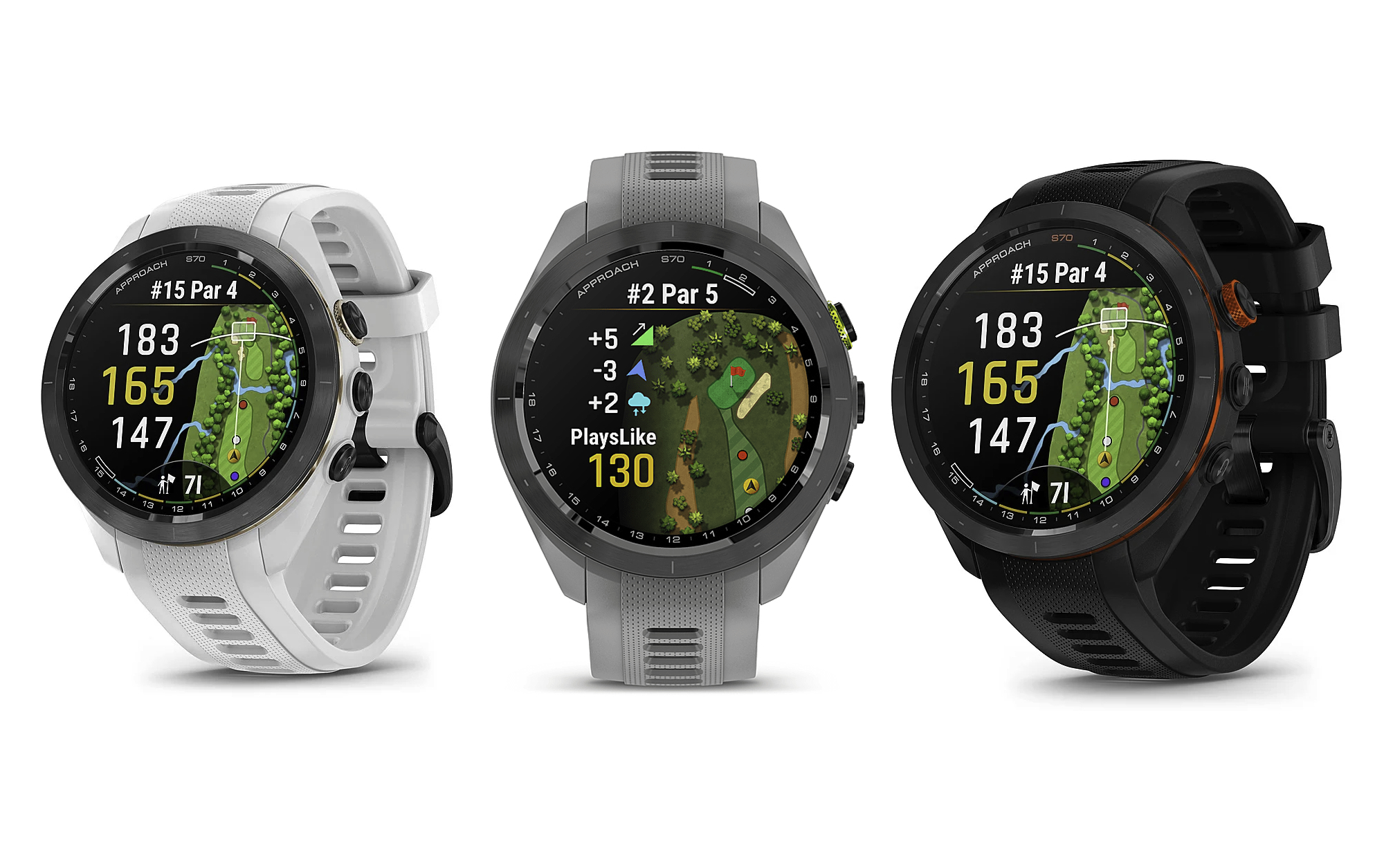
Garmin Approach S1
Features: The first golf-specific GPS watch by Garmin, preloaded with 14,000 golf courses and providing front, middle, and back distances to the green.
Battery Life: 8 hours in GPS mode, 3 weeks in watch mode.
Weight: 52g, ensuring a lightweight feel during play.
Garmin Approach S2
Upgrades: Includes score tracking and expands the course database to 30,000+ courses.
Battery Life: 8 hours in GPS mode, 3 weeks in watch mode.
Weight: 52g.
Garmin Approach S3
Upgrades: Introduces a touchscreen display and features like Green View and manual pin placement for enhanced accuracy.
Battery Life: 8 hours in GPS mode, 4 weeks in watch mode.
Weight: 58g, slightly heavier due to added features.
Garmin Approach S4
Upgrades: Adds smart notifications, allowing users to receive calls and text alerts on their watch. Preloaded with 30,000+ courses.
Battery Life: 10 hours in GPS mode, 6 weeks in watch mode.
Weight: 58g.
Must-Have Accessory: Garmin 361-00047-00 Replacement Battery
All of these Garmin models rely on high-quality batteries for peak performance. Over time, battery life naturally declines, making a replacement essential for continuous use. The Garmin 361-00047-00 replacement battery is designed to fit Forerunner 110, 110W, 210 and Approach S1, S2, S3, S4, ensuring seamless performance.
Why Choose the Garmin 361-00047-00 Battery?
✔ Premium Quality: Built with high-grade Li-ion technology for long-lasting performance (200mAh, 3.7V/4.2V). ✔ Certified Safety: Meets CE, UL, ROHS, and ISO9001/9002 standards, ensuring maximum protection for your device. ✔ Durable & Reliable: Tested to last over 600 charge cycles. ✔ Perfect Compatibility: Designed to match original manufacturer specifications. ✔ Warranty & Guarantee: Comes with a one-year warranty and a 30-day money-back guarantee.
Battery Maintenance Tips
-
Avoid extreme temperatures: High heat and cold can reduce battery life.
-
Charge wisely: Don’t keep the battery at 100% or 0% for long periods; aim for 20-80% charge cycles.
-
Use standard charging speeds: Fast chargers may degrade the battery faster.
-
Store properly: Keep batteries in a dry place to prevent damage.
Final Verdict: Which Garmin Model is Right for You?
-
For runners: The Forerunner 110 is great for beginners, while the Forerunner 210 is better for indoor and outdoor training.
-
For golfers: The Approach S1 is perfect for essential distance tracking, while the S4 offers smart notifications and advanced course data.
-
For longevity: No matter which model you choose, a high-quality replacement battery like the Garmin 361-00047-00 ensures your watch runs smoothly for years.
For those looking to replace their Garmin watch battery, the Garmin 361-00047-00 is the best option, offering reliability, safety, and affordability. Don’t let battery issues hold you back—keep your watch running like new!
Where to Buy?
Looking for a replacement Garmin 361-00047-00 battery? Get yours today and extend the life of your Garmin watch!
Let us know in the comments which Garmin model you use and how it's helped improve your training or golf game!
Still Rocking the Apple Watch Series 3? A New Battery Can Make It Feel Brand New!
- Details
- Written by: Administrator
- Category: Smart Watch Battery
- Hits: 555
Let’s be real — the Apple Watch Series 3 GPS + LTE 42mm may be a few years old, but it’s still going strong for many of us. Whether you're into running, gym workouts, or just want to leave your phone behind sometimes, its built-in LTE support is a total game-changer.
But there’s one thing that’s probably bugging you by now: the battery life just isn’t what it used to be.
Good news — you don’t need to buy a new watch. Just swap the battery! The A1850 Apple Watch Series 3 GPS + LTE 42mm 3.72V/4.35V 279mAh/1.07Wh Replacement Smart Watch Battery is your secret weapon to bring your watch back to life.
Why Keep Using the Apple Watch Series 3?
There’s a reason why people are still using this thing in 2025:
-
You can make calls, reply to texts, and stream music without your iPhone
-
It tracks workouts like a champ (even swimming!)
-
It’s affordable and works great as a second device
-
Seamless connection with your iPhone and other Apple gear
The only major downside these days? That tired, aging battery that barely lasts a day.
A New Battery Changes Everything
Don’t ditch your watch just because of the battery. Fix it instead!
We highly recommend the A1850 Apple Watch Series 3 GPS + LTE 42mm 3.72V/4.35V 279mAh/1.07Wh Replacement Smart Watch Battery. It's designed specifically for this model and delivers the same performance as the original — if not better.
Here’s what you get:
Full-day battery life again — no more charging anxiety
Better LTE performance without fast drain
Save money vs. buying a new Apple Watch
Keep your favorite watch running like new
Whether you're jogging, commuting, or traveling light, a solid battery makes all the difference.
Is It Worth Replacing the Battery?
Ask yourself:
-
Do you still love using your Series 3 for workouts or calls?
-
Want to avoid spending hundreds on a new watch?
-
Have a used watch lying around you’d love to revive?
-
Just want longer battery life again?
If you nodded yes to any of those, grab the A1850 Apple Watch Series 3 GPS + LTE 42mm Replacement Battery and breathe new life into your old device.
Is It Hard to Replace?
Not really! If you’re handy, you can DIY with some tools and patience (there are plenty of tutorials out there). Or take it to a local repair shop — most can swap the battery quickly and affordably.
Either way, you’ll get way more mileage out of your Apple Watch without spending big.
Final Thoughts
The Apple Watch Series 3 GPS + LTE 42mm still checks a lot of boxes in 2025: it’s compact, independent, and packed with features. But if your battery isn’t holding up, there’s no need to toss it.
Just replace it with the A1850 Apple Watch Series 3 GPS + LTE 42mm 3.72V/4.35V 279mAh/1.07Wh Replacement Smart Watch Battery, and you’re back in business.
Your watch deserves a second wind — and this battery gives it just that.
Samsung Galaxy Watch 42mm Review: Classic Design, Reliable Performance – Still Worth It in 2025?
- Details
- Written by: Administrator
- Category: Smart Watch Battery
- Hits: 1032
When Samsung launched the Galaxy Watch 42mm (SM-R810 for Bluetooth, SM-R815 for LTE) back in 2018, it quickly became a favorite among smartwatch users for its elegant design, robust features, and impressive durability. Fast forward to 2025, and this classic timepiece still holds a strong place in the second-hand market — especially for users looking for a solid, affordable entry into the smartwatch world.
In this review, we'll explore why the Galaxy Watch 42mm remains relevant, and why pairing it with a High Quality 270mAh Battery Samsung EB-BR810ABU for Samsung Galaxy S4 Watch 42mm SM-R810 SM-R815 can give it a second life.
Specifications & Performance
Display:
The watch features a vibrant 1.2-inch Super AMOLED screen with a resolution of 360 x 360 pixels. Covered with Corning Gorilla Glass DX+, the display not only looks sharp but is also resistant to scratches and daily wear.
Processor & OS:
Powered by the dual-core Exynos 9110 processor running at 1.15GHz and operating on Tizen OS 4.0, the UI is smooth and responsive. The rotating bezel adds a tactile, intuitive element to navigation — a standout feature among smartwatches.
Memory:
-
Bluetooth (SM-R810): 768MB RAM + 4GB internal storage
-
LTE (SM-R815): 1.5GB RAM + 4GB internal storage
Battery Life:
Equipped with a 270mAh battery, it offers up to 3–4 days of regular use, and up to 5 days in power-saving mode. For aging units, replacing the original battery with a High Quality 270mAh Battery Samsung EB-BR810ABU for Samsung Galaxy S4 Watch 42mm SM-R810 SM-R815 is highly recommended to restore optimal performance.
Health & Fitness Features
Despite its age, the Galaxy Watch 42mm is packed with sensors including a heart rate monitor, barometer, accelerometer, gyro, and ambient light sensor. It supports:
-
Auto-recognition of 6 workout modes
-
Manual tracking for up to 39 types of exercise
-
Sleep stage monitoring (4-stage analysis)
-
Stress tracking
-
Offline Spotify music playback (with Bluetooth headphones)
These features make it an excellent fitness companion — all in a lightweight, comfortable package.
Design & Build Quality
-
Size: 41.9 x 45.7 x 12.7mm
-
Weight: Approx. 49g (without strap)
-
Durability: 5 ATM water resistance, IP68, and MIL-STD-810G military-grade protection
-
Strap: Compatible with standard 20mm straps
-
Colors: Midnight Black and Rose Gold
Its sleek look and rugged build make it suitable for both office wear and outdoor adventures.
Pros & Cons
Pros:
Long battery life (especially with a fresh High Quality 270mAh Battery Samsung EB-BR810ABU for Samsung Galaxy S4 Watch 42mm SM-R810 SM-R815)
Rotating bezel for intuitive navigation
Comprehensive fitness and health tracking
Military-grade durability
Cons:
Limited app ecosystem (Tizen OS)
Some features limited on iOS
Aging hardware compared to newer models
Buying & Upgrade Advice
The Galaxy Watch 42mm is an excellent budget-friendly choice, especially for smartwatch beginners. Refurbished models can be found for around $50 — a great value considering the feature set. If you own one or are planning to purchase, consider refreshing the unit with a High Quality 270mAh Battery Samsung EB-BR810ABU for Samsung Galaxy S4 Watch 42mm SM-R810 SM-R815 to ensure it runs like new.
Conclusion
The Samsung Galaxy Watch 42mm remains a classic, offering excellent durability, useful features, and stylish design. It’s a compelling option in 2025 for those who prioritize reliability over the latest tech trends. Just be sure to swap out the battery with a High Quality 270mAh Battery Samsung EB-BR810ABU for Samsung Galaxy S4 Watch 42mm SM-R810 SM-R815 — and you’ve got a smartwatch that can still hold its own.
Garmin Swim 2: A Swimmer’s Essential + Battery Replacement Tips
- Details
- Written by: Administrator
- Category: Smart Watch Battery
- Hits: 589
If swimming is at the heart of your workouts, the Garmin Swim 2 deserves your attention. This GPS-enabled swim watch was built for the pool and open water, giving you the tools to track every stroke with accuracy. Below we’ll explore what makes it unique, and how a simple Garmin Swim 2 battery replacement can keep it going for years.
Why Swimmers Love the Garmin Swim 2
Packed with Swim Metrics
From distance and pace to stroke detection, SWOLF, and critical swim speed, this watch covers it all. It even reads your heart rate underwater, which is rare at this price point. Swimmers also benefit from auto rest timers and the option to create structured workouts in Garmin Connect.
Lightweight and Practical
At just 42mm with a slim silicone strap, the Garmin Swim 2 is comfortable enough for long sessions. The sunlight-readable display is clear both above and below the surface, and the five-button layout ensures you won’t fumble mid-lap.
All-Day Health Monitoring
Though designed for swimming, it still handles the basics of fitness tracking—steps, calories, stress levels, and sleep. There’s also GPS support for running and cycling, though features here are simpler compared to Garmin’s premium multisport watches.
Battery Life and When to Replace It
Out of the box, the Garmin Swim 2 offers:
-
Up to 7 days in smartwatch mode
-
Around 14 hours in GPS + heart rate mode
-
Roughly 72 hours in pool swimming mode
Over time, performance may drop as the rechargeable cell ages. That’s when a Garmin Swim 2 replacement battery comes in handy.
How to Do a Garmin Swim 2 Battery Replacement
Replacing the battery isn’t complicated if you’re comfortable with small electronics:
-
Turn off the device.
-
Unscrew the case back with a precision tool.
-
Remove the old unit and carefully disconnect it.
-
Install the new Garmin Swim 2 battery.
-
Reassemble, charge fully, and you’re ready to swim again.
If DIY isn’t your style, professional services can do it quickly.
Extend the Life of Your Watch
A reliable Garmin Swim 2 battery replacement is the easiest way to keep your swim sessions uninterrupted. It restores battery endurance and makes your device feel like new, saving you from buying a replacement watch too soon.
Bottom Line
The Garmin Swim 2 is tailor-made for swimmers who want precise data without the bulk of a triathlon watch. With robust swim tracking, easy usability, and a strong design, it’s a solid investment. And when the time comes, a fresh Garmin Swim 2 replacement battery ensures it stays by your side in the pool and beyond.
Page 56 of 88